Graphics & Design Ecommerce Development
PRINTCART is the trusted digital commerce agency building eCommerce website, mobile app, PWA and Page builder solution for B2C and B2B industries as well as multi-vendor marketplaces

Storefront Button and Theme Setup for Printcart
This service gets the Printcart customize button working on your live storefront. We place it on your product page, make sure the normal Add to cart does not bypass customization where it should not, and test it on desktop and mobile.
Who this service is for
Merchants whose Printcart products are ready but whose storefront button is missing, in the wrong place or broken after a theme change: WooCommerce stores on classic or block themes, Shopify stores using the Printcart app block, and Wix stores.
The problem it solves
Themes differ. A block that works on one theme does not show on another, a custom theme may not support app blocks or hooks at all, and mobile layouts push the button out of sight. Without the button, customers cannot start a design and the store takes no custom orders.
What Printcart configures or delivers
- The customize button added to your product page template
- Placement set for Shopify app blocks, WooCommerce classic hooks or block themes, and Wix
- Rules so customizable products do not skip the design step
- A fallback for custom themes (hook or shortcode) where blocks are not supported
- Desktop and mobile layout check
- Two products tested from button to cart
- A short written note on what was changed, so a future theme update does not surprise you
Packages
Standard theme | from $49 | 1 to 3 business days
A mainstream theme with block or hook support.
- Button on one product template
- Desktop and mobile check
- Two products tested
Custom theme | from $129 | 3 to 6 business days
A custom or heavily edited theme.
- Hook or shortcode fallback
- Cart rules for customizable products
- Written change note
Multi-template | Custom quote | Quoted after review
Several templates, languages or a headless storefront.
- Scoped from your store setup
What we need from you
- Your platform and theme name
- Collaborator or admin access, or a theme copy to work on
- The product pages where the button should appear
- Screenshots of the problem, if the button is missing or misplaced
Related Printcart resources
- All Printcart services
- Printcart tutorials to try the setup yourself first.
- Printcart apps for Shopify, WooCommerce and Wix
Q&A
Which platforms do you support?
Shopify (app block), WooCommerce (classic and block themes) and Wix. Tell us your theme and we confirm in writing.
Will a theme update break the button?
Theme updates can change layouts. The change note shows exactly what was added, so it can be restored quickly.
Do you edit my theme directly?
We prefer a theme copy. Changes go live only after you approve them.
Can the button replace Add to cart?
Yes, where you want customization to be required. We set that per product.
Do I need to join a call?
No. Everything runs in your Printcart Helpdesk ticket.
CTA
Request a storefront button quote and include your theme name and a screenshot. We reply with scope, price and timeline in writing.

Bulk Product Setup for Printcart
Bulk Product Setup turns a spreadsheet of products into ready-to-sell customizable products in Printcart. We apply printing options, design zones and pricing rules by product category, so each new product follows the same tested pattern.
Who this service is for
Print shops and POD sellers with 20 to a few hundred products: apparel with many sizes and colours, signage and labels with size and material options, or an existing catalog that needs to move onto Printcart.
The problem it solves
Creating products one at a time is slow and easy to get wrong. One product gets a different print area, another misses a price break, and fixing it later means opening every product again. Setting options once per category and applying them in bulk keeps the catalog consistent.
What Printcart configures or delivers
- Your product list reviewed and cleaned into the structure Printcart needs
- Products created in bulk and linked to your store
- Printing option sets applied by product category
- Design zones and side templates assigned per category
- Size, variant and quantity pricing rules mapped from your price sheet
- A quality check on a sample of products, with a list of anything that needs your decision
- A written handover sheet showing how to add the next batch
Packages
Starter | from $99 | 3 to 5 business days
A first batch to prove the pattern.
- Up to 25 products
- 1 to 2 product categories
- Sample quality check
Growth | from $249 | 5 to 8 business days
A full product line.
- Up to 100 products
- Up to 5 product categories
- Pricing rules per category
Scale | from $599 | 8 to 14 business days
A large catalog.
- Up to 500 products
- Up to 10 product categories
- Two review rounds
Custom | Custom quote | Quoted after review
More than 500 products or complex rules.
- Scoped from your product list
What we need from you
- A spreadsheet of products: name, SKU, category, sizes or variants, base price
- Your price sheet and quantity breaks
- Which printing options belong to which product category
- Print area sizes and file specs per category
- Product images or mockups, if you have them
- Store access, or permission to work on a test copy first
Related Printcart resources
- All Printcart services
- Printcart tutorials to try the setup yourself first.
- Printcart apps for Shopify, WooCommerce and Wix
Q&A
What file format should my product list be in?
A spreadsheet (CSV, Excel or Google Sheets) is fine. We review it first and tell you what to fix before importing.
Will you change my prices?
No. We map the prices you give us. You approve the price sheet and the margins.
Can you add more products later?
Yes. The handover sheet explains the pattern, and a follow-up batch is quoted the same way.
Do you also create the designs?
Not in this service. Template creation is a separate service, listed on the services page.
Do I need to join a call?
No. Everything runs in your Printcart Helpdesk ticket.
CTA
Request a bulk setup quote, attach your product list in the ticket, and we reply with scope, price and timeline in writing.
Printcart Launch Setup: Done for You Until Your First Order
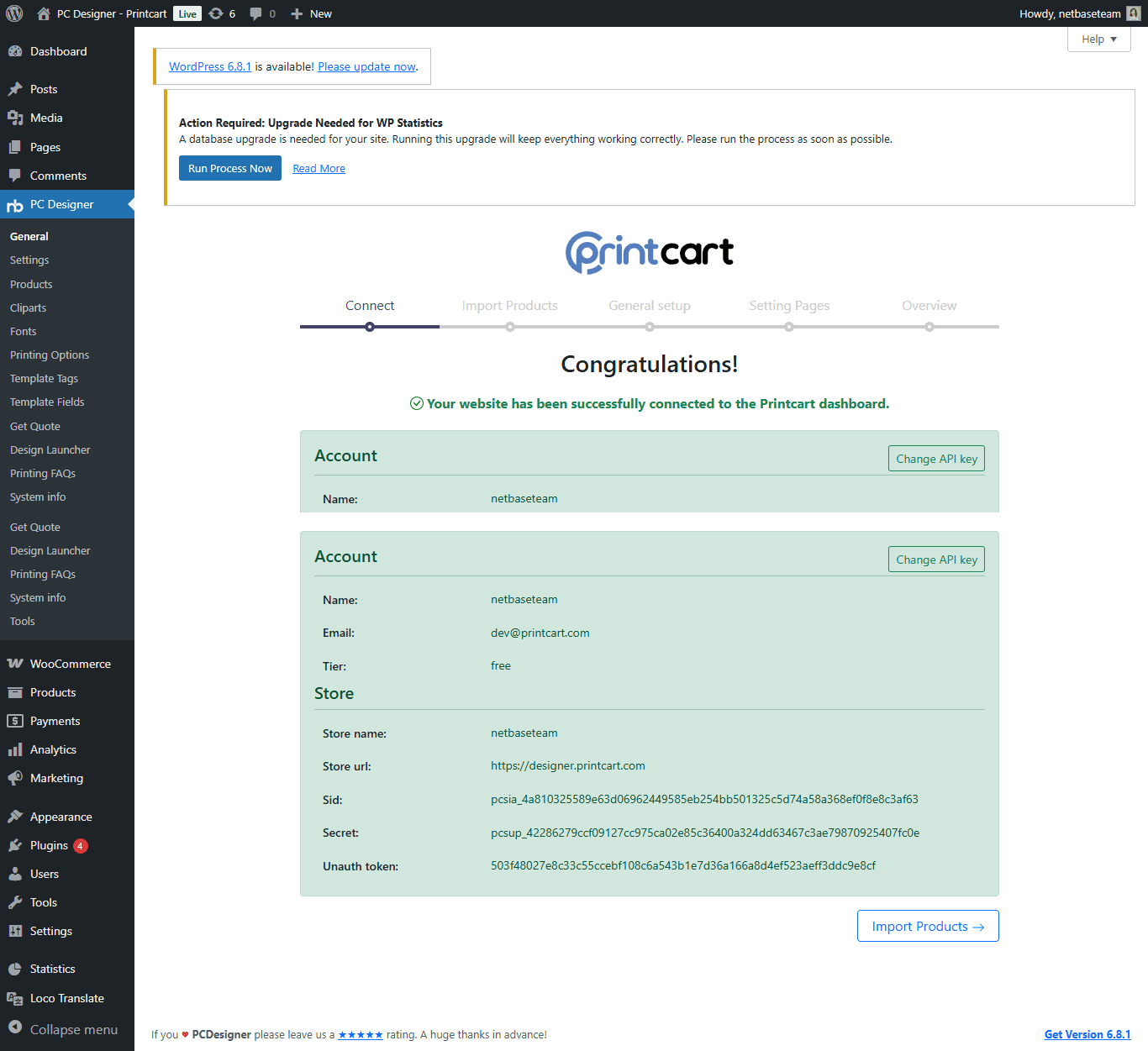
Printcart Launch Setup is the done-for-you path from a connected store to a working first order. We configure what usually blocks new merchants: printing options and pricing, design zones and templates, the storefront button on your theme, and a full test order.
Who this service is for
Shopify, WooCommerce and Wix merchants who have installed Printcart and want it working without learning every screen first: print shops adding online ordering, POD sellers launching a first product line, and agencies setting up a client store.
The problem it solves
Most stores stall at the same points: printing options and prices that do not match the price sheet, design zones that are missing or the wrong size, a customize button that does not show on a custom theme, and no test order to prove it all works. Each is small, together they stop launch for weeks.
What Printcart configures or delivers
- Your store connected to Printcart and the sync checked
- Printing options and pricing for your products, including import by product category
- Design zones and global side templates, so every product has a correct print area
- The storefront button placed on your theme (Shopify app block, WooCommerce classic or block theme, Wix)
- A custom quote experience where a product needs a quote instead of a fixed price
- One full test order, including a check of the print-ready file
- A written handover note with what was set up and how to add the next product
Packages
Starter | from $149 | 3 to 5 business days
One product line to your first test order.
- Store connection and sync check
- Printing options for 1 product type
- Design zones for 1 product type
- Storefront button on your theme
- One test order
Growth | from $399 | 7 to 10 business days
A small catalog ready to sell.
- Up to 10 products
- Printing options imported by product category
- Design zones and up to 3 templates
- Storefront button and mobile check
- Test orders for each product type
Pro | from $899 | 10 to 14 business days
A larger catalog, with a quote flow where needed.
- Up to 30 products
- Custom quote experience for selected products
- Global side templates
- Storefront button on up to 2 themes or templates
- Written handover for your team
What we need from you
- Collaborator or admin access to your store
- Your product list and price sheet
- Print area sizes and file specs from your printer
- Your theme name, or permission to work on a theme copy
- Artwork or template files, if you have them
- Your target launch date
Related Printcart resources
- All Printcart services
- Printcart tutorials to try the setup yourself first.
- Printcart apps for Shopify, WooCommerce and Wix
Q&A
What counts as done?
You can place a customized test order on your live storefront, and the print-ready file for that order is correct. That is the end of the setup.
Which platforms do you support?
Shopify, WooCommerce (classic and block themes) and Wix. Tell us what you use in the request and we confirm in writing.
My theme is custom. Can you still add the button?
Usually yes. Custom themes may need a hook or shortcode instead of a block. We tell you what is needed before work starts.
Can I do some of it myself first?
Yes. The tutorials cover every step. Many merchants start there and request help for the parts that block them.
Do I need to join a call?
No. Everything runs in your Printcart Helpdesk ticket.
CTA
Request a launch setup quote and we reply in your Helpdesk ticket with scope, price and timeline before any work starts.
Migrate to Printcart from Customily, Zakeke, Teeinblue, Kickflip or a Custom Build
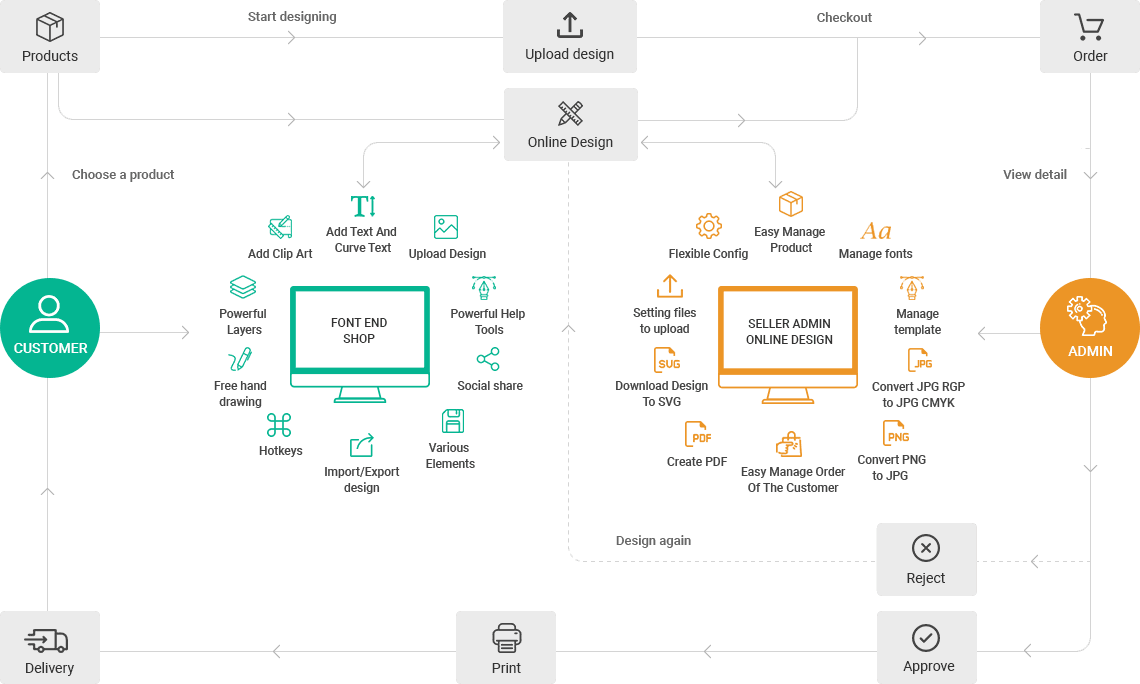
Switching product designer should not mean starting over. This service moves your customizable products to Printcart: we map your current setup, rebuild it in Printcart, test it against your print specs and switch your products over in batches. It covers Customily, Zakeke, Teeinblue, Kickflip, legacy NBDesigner or Online Designer plugins and custom-built designers.
Customily, Zakeke, Teeinblue, Kickflip and other tool names are trademarks of their owners. Printcart is not affiliated with or endorsed by them.
Who this service is for
Store owners and print shops that already sell personalized products with another designer or a custom build and want to run on Printcart: Shopify, WooCommerce and Wix merchants, and teams maintaining an older plugin that is hard to update. If the other tool does something Printcart does not cover, the assessment says so and you can keep it for those products.
The problem it solves
The hard part of switching is not the new tool. It is the fear of losing templates, breaking prices or leaving products without a designer for days. Templates, fonts and option rules live inside the old tool, nobody remembers every setting, and a failed switch means lost orders. A scoped, batch-by-batch migration with a test step removes that risk.
What moves and what is rebuilt
| Item | What happens |
|---|---|
| Products, variants and categories | Stay in your store platform. We enable the Printcart designer on them. |
| Orders and customer accounts | Stay in your store platform. Before the old designer is turned off we help you keep the print files you still need from open orders. |
| Design templates | Rebuilt in Printcart from your original files. There is no one-click importer between these tools. |
| Fonts and clipart | Re-uploaded from your source files, if your font and image licences allow web use. |
| Printing options and price rules | Mapped to Printcart printing options and pricing. Close to the original, but may not match it exactly. |
| Storefront button | The old designer button is replaced by the Printcart button on your theme. |
| Special generators and unique custom features | Scoped separately as custom development, or left on the old tool. |
| Your subscription to the old tool | You cancel it yourself, after the Printcart setup is live and verified. |
What Printcart configures or delivers
- A written assessment of your current setup: what moves, what is rebuilt, what stays where it is
- Printcart connected to your store, tested on a copy of your setup before anything changes live
- Printing options and price rules rebuilt, including import by product category
- Design zones and templates rebuilt, starting with your best sellers
- The Printcart storefront button placed on your theme (Shopify app block, WooCommerce classic or block theme, Wix)
- A price and print check: sample print files compared with your print specs
- Go-live in batches, with the old designer turned off on each batch once you approve it
- A written handover note for your team
Packages
Assessment | Free | 2 business days
A written plan before you commit to anything.
- Review of your products, templates and current options
- What moves, what is rebuilt, what stays
- Fixed scope and quote for the migration
Starter | from $299 | 5 to 7 business days
A small catalog moved with a clean test step.
- Up to 25 products
- Up to 5 templates rebuilt
- Printing options and pricing for those products
- Storefront button on one theme
Growth | from $799 | 10 to 14 business days
A mid-size catalog moved in batches.
- Up to 100 products
- Up to 20 templates rebuilt
- Printing options imported by product category
- Two go-live batches
Scale | Custom quote | Quoted after the assessment
Large catalogs, several stores or custom builds.
- 100+ products or several stores
- Custom-built designer replaced
- Special features scoped separately
What we need from you
- The list of products to move, in priority order
- Collaborator or admin access to your store, or permission to work on a test copy
- Screenshots or exports of your current designer settings and price rules
- Original template, font and clipart files, and confirmation that your licences allow web use
- Your printer file specs: size, bleed, colour mode and file type
- Two or three sample orders to use as test cases
Related Printcart resources
- All Printcart services
- Printcart tutorials to try the setup yourself first.
- Printcart apps for Shopify, WooCommerce and Wix
Q&A
Can you import my templates automatically?
No. There is no one-click importer between these tools. We rebuild templates in Printcart from your original files.
Will I lose my orders or customers?
No. Orders and customers live in your store platform and we do not move them. We work on a copy first and switch products over in batches.
Can I run the old designer and Printcart side by side?
Yes, product by product while we move. Each product should use only one designer, so products switch in batches.
Will my product URLs change?
We do not recreate your products, so their URLs stay the same. We cannot promise search rankings.
Do you move print-on-demand fulfilment connections?
Fulfilment and supplier connections are scoped separately. The assessment lists what is needed.
Do I need to join a call?
No. Everything runs in your Printcart Helpdesk ticket: questions, files, approvals and the written handover.
CTA
Request a migration quote and we reply in your Helpdesk ticket with a written assessment, scope, price and timeline. Nothing starts until you approve it.
Corporate Printing Portal and Workflow Setup
Corporate Printing Portal and Workflow Setup helps corporate printing teams, agencies, and internal operations teams create controlled ordering workflows for branded print requests. Printcart configures the portal flow around the products your organization needs, such as company gifts, employee kits, event merchandise, business cards, labels, documents, campaign materials, and recurring print requests. The setup can cover product lists, brand rules, approval steps, repeat order logic, shipping rules, and fulfillment handoff so teams can keep brand consistency without rebuilding every request manually. Your team provides brand guidelines, user roles, product options, approval requirements, and shipping rules; Printcart maps those into a practical corporate print workflow. The goal is better control, easier repeat ordering, and a clearer path from request to fulfillment.
Printcart Studio Setup for School and Corporate Photo Workflows
Printcart Studio Setup for School and Corporate Photo Workflows helps school, sports, childcare, event, and corporate studio operators configure batch photo workflows with Printcart Studio AI capabilities. Printcart helps organize setup around face crop, bulk QR cards, AI face matching, subject lists, product types, and fulfillment handoff, using plain production rules your team can review. The workflow is designed for teams that need faster subject tracking, cleaner photo preparation, and clearer batch order handling across portrait, event, ID, badge, school, sports, or corporate photo products. Your team provides event or subject data, photo sets, product rules, and fulfillment requirements; Printcart turns those inputs into an implementation plan. The result is a more structured studio workflow, while final matching and production decisions remain reviewable by your team.
AI Image Upscale and Artwork Fix Service
AI Image Upscale and Artwork Fix Service helps POD sellers, local printers, and customer-upload stores improve low-resolution artwork before production review. Printcart configures an AI-assisted workflow for image upscale, artwork cleanup, and quality checks around the product types and print requirements you support. The service is useful when customers upload small logos, soft photos, or catalog artwork that needs improvement before a team decides whether it is printable. Your team provides sample assets, minimum print requirements, product rules, and approval steps; Printcart maps those inputs into a practical review workflow with before-production checks. The goal is to reduce preventable artwork issues and give operators clearer decisions, while still acknowledging that very poor source images may need replacement or manual design support.
AI Background Removal Workflow for POD Catalog Images
AI Background Removal Workflow for POD Catalog Images helps POD catalog teams, sellers, and marketplace operators clean product photos and listing assets with an AI-assisted workflow. Printcart configures how images move through background removal, review, and catalog preparation so teams can produce more consistent visuals for apparel mockups, product photos, marketplace assets, and storefront listings. The setup focuses on input image expectations, acceptable output rules, and the points where human review should confirm edges, shadows, transparent areas, or brand presentation. Your team provides source images, product categories, marketplace requirements, and approval preferences; Printcart turns those into a repeatable cleanup workflow. The result is faster catalog image preparation and clearer asset quality standards, without promising perfect cutouts for every source photo.
AI Print File Preflight Setup for POD Stores
AI Print File Preflight Setup for POD Stores helps POD sellers, printers, and catalog teams add AI-assisted print-readiness checks before orders move into production. Printcart configures the workflow around the files customers or merchants upload, the product rules that matter for print quality, and the review steps your team still needs for edge cases. The setup can help flag issues such as low resolution, sizing mismatches, missing bleed, artwork quality risks, and production review needs where supported by Printcart AI Services. Your team provides sample products, file requirements, fulfillment rules, and approval expectations; Printcart maps those inputs into a safer preflight workflow. The goal is fewer avoidable artwork surprises, clearer QA handoff, and a practical review process before fulfillment, not a promise that every production risk is automatically removed.
POD Store Launch and Setup Consultancy
POD Store Launch and Setup Consultancy helps POD sellers, print shops, and ecommerce teams launch a sellable custom product store with clearer setup decisions. Printcart supports platform setup, product designer configuration, catalog planning, option and pricing coordination, fulfillment workflow review, launch QA, and team handoff for Shopify, WooCommerce, Magento, or a Printcart stack. Use this service when your team needs practical implementation guidance, not a generic ecommerce agency package. The engagement is designed to make the store easier to launch, operate, and improve after launch while keeping ownership with your team. Clients provide platform access, product lists, variants, pricing rules, brand assets, print areas, fulfillment rules, and a launch owner so Printcart can review the workflow against real operating needs.
Who this service is for
This service is for POD sellers preparing a first serious launch, print shops moving from offline orders into web-to-print commerce, ecommerce teams adding customer-editable print products, and existing Printcart users who need a cleaner launch process. It also fits founders who have selected a platform but still need help turning products, templates, options, and fulfillment logic into a working storefront. The best fit is a team that already has product intent, sample products, or a catalog direction, but needs a setup partner to organize the launch path and reduce avoidable rework.
The launch problem it solves
A POD store can look simple from the outside, but the operational details decide whether it is ready to sell. Product designer settings, print areas, customer input rules, price logic, shipping choices, artwork review, order handoff, and staff training all need to agree with one another. When they do not, customers may see confusing product choices, upload artwork outside the printable area, approve previews that production cannot use, or place orders that require manual repair before fulfillment. Printcart helps the team review those decisions before launch so the store is built around the way the business will actually receive, review, and fulfill orders.
What Printcart configures or delivers
The work focuses on store readiness rather than broad brand or marketing strategy. Printcart can support platform setup planning, product designer configuration for selected products, catalog and option structure, launch QA, training notes, and handoff guidance. For teams using multiple tools, the service can also help map how orders, design files, customer notes, and fulfillment status should move between the storefront and the production workflow. The outcome is a clearer launch checklist and a store configuration that your team can manage with less guesswork.
| Setup area | Printcart configures | Client provides |
|---|---|---|
| Store and platform | Launch settings, channel readiness, and practical QA points | Store access, platform choice, domain or launch plan |
| Products and designer | Selected product setup, print areas, template behavior, and preview checks | Product list, dimensions, artwork, brand assets, and template rules |
| Options and fulfillment | Option structure, pricing coordination, and handoff requirements | Variants, price rules, fulfillment rules, shipping notes, and operating owner |
Workflow impact for POD operations
A stronger launch setup reduces the amount of manual explanation your team needs after orders begin. Sales, support, design review, and fulfillment can work from the same product assumptions. Customers get clearer product choices and previews. Production receives order data that is easier to interpret. Managers can see which parts of the workflow still need human review, such as artwork quality, unusual personalization requests, or shipping exceptions. The service does not promise a perfect launch or automatic sales growth; it gives the team a practical operating base before traffic, promotions, and repeat orders add pressure.
Client inputs needed
Before the work begins, prepare store or staging access, product names, SKU or variant logic, price sheets, print areas, mockups, brand assets, template files, fulfillment rules, support contacts, and the target launch window. If the team is migrating from another platform, add examples of current product pages, order exports, and known pain points. If staff training is part of the engagement, identify the people who will own catalog updates, design review, order review, and customer support after launch.
Related Printcart resources
- Printcart services hub for related setup, integration, and catalog support.
- Printing partner workflow guide for planning the move from manual ordering to online ordering.
- Personalized product setup guide for product designer preparation.
Q&A
Can Printcart launch the entire POD store for us?
Printcart can support setup, configuration, QA, and handoff for the Printcart-related workflow. The client still owns business decisions such as catalog strategy, pricing approval, fulfillment policy, branding, and legal terms.
Is this only for new stores?
No. Existing stores can use the service when product setup, designer behavior, fulfillment handoff, or staff process has become hard to maintain. The work can focus on a limited set of priority products before expanding.
Does setup guarantee sales or conversion improvement?
No. The service is about operational readiness. Better structure can reduce friction and support a cleaner launch, but traffic quality, offer strength, pricing, merchandising, fulfillment reliability, and support response all affect commercial results.
What should we prepare first?
Start with the product list, print areas, pricing rules, fulfillment rules, and examples of products that must be live first. Those inputs help Printcart identify setup risks before the store reaches customers.
CTA
Request a POD launch consultation when your team needs a practical setup review, launch QA, or guided handoff before opening a custom product store to customers. Bring your product list, platform access, and launch timeline so the review can focus on real decisions.
Product Personalizer Template Creation Service
Product Personalizer Template Creation Service helps POD brands, local printers, gift stores, and ecommerce teams turn selected products into customer-editable design workflows. Printcart prepares template structure, print areas, text and image controls, clipart and font rules, upload guidance, preview behavior, and production file expectations for products such as apparel, mugs, labels, cards, photo items, and personalized gifts. This service is useful when the product already exists but the editable experience still feels risky, confusing, or too manual for repeat orders. The goal is not to replace production review; it is to give customers a clearer way to personalize products and give the fulfillment team cleaner design data to inspect, approve, and produce where the workflow supports it.
Who this service is for
This service is for teams selling products that need customer input before production. That can include a POD seller offering personalized shirts, a printer selling business cards and labels, a gift store preparing holiday templates, a photo product seller adding names and dates, or an ecommerce team that wants customers to upload artwork before checkout. It is also useful for stores that have products live already but receive too many emails asking where to place text, what image size to upload, or how the final design will look.
The problem it solves
Product setup and product designer setup are different tasks. A product can have a title, price, image, and variant choices, yet still lack a usable personalization workflow. Customers need to know what they can edit. The store needs guardrails for text, image uploads, print areas, and preview behavior. Production needs design output that can be reviewed against real size, placement, and file requirements. Without those pieces, the team may spend time correcting spelling, moving artwork, requesting higher-resolution files, or explaining the same personalization steps after every order. Printcart helps convert product intent into a clearer design workflow.
What Printcart configures or delivers
Printcart can help define editable areas, configure templates for selected products, map customer input fields, set practical text and image rules, organize fonts and cliparts, prepare upload guidance, and test the preview and output flow. For catalog teams, the work can start with a limited launch group, such as shirts, mugs, cards, or labels, then repeat the pattern for more products. For production teams, the service documents what customers can change and what staff should inspect before a file is approved for print.
What customers can edit
- Text fields such as names, dates, team names, company names, messages, or product-specific labels.
- Image areas for logos, photos, artwork uploads, or design elements selected from approved assets.
- Template choices such as layout, color accents, clipart, or design variations where the product supports them.
- Personalization options that connect to order data, such as size, side, material, or print location.
What production receives
The production side should receive a more organized view of the customer design, selected options, and required review points. Depending on the store configuration, that may include preview output, production files, customer notes, and structured product choices. Printcart keeps the claim cautious: the setup can support a print-ready workflow, but artwork quality, color handling, material constraints, and unusual customer uploads may still need human or production review before fulfillment.
Workflow impact for custom products
A better personalizer setup helps customers complete the design without leaving the product page to ask basic questions. It also helps support staff answer with consistent rules instead of improvising. Designers and production operators can see which parts of the template were meant to move and which parts should remain locked. For managers, the biggest benefit is repeatability. Once the team agrees on how a product type should be configured, new products can follow the same pattern with fewer one-off decisions.
Client inputs needed
Prepare product dimensions, printable areas, safe area notes, sample artwork, template references, fonts, brand assets, clipart collections, product categories, priority products, and examples of customer personalization requests. If you already have reprint issues, include the order examples and explain what failed, such as low-resolution uploads, text outside the safe area, wrong side selection, or unclear preview approval.
Related Printcart resources
- Printcart services hub for related catalog, setup, and integration support.
- Personalized gifts workflow guide for planning editable products around real customer intent.
- Personalized product setup guide for template and design-area preparation.
Q&A
Do we need finished artwork before starting?
You should provide product dimensions, print areas, brand assets, and representative artwork. Final artwork for every future product is not required, but the first templates need enough detail for Printcart to configure realistic controls and review output.
Can customers upload any file they want?
The store can provide upload guidance and rules, but not every customer file will be suitable for production. Low-resolution images, poor crops, unsupported formats, or unusual artwork may still require review or a corrected file.
Is this the same as adding variants and prices?
No. Variants and prices define what the customer buys. Product personalizer setup defines how the customer edits the design and what production receives for review and fulfillment.
Can we start with a small product group?
Yes. Many teams start with the highest-priority products, test the customer edit flow, and then extend the pattern to related products after the workflow is proven.
CTA
Request a product personalizer setup review when your templates, print areas, upload rules, or preview flow need to become clearer before more personalized orders reach production.
Print Product Options and Pricing Setup
Print Product Options and Pricing Setup helps POD sellers, print shops, and catalog teams turn complex print choices into a cleaner product configuration. Printcart structures options such as size, color, material, print side, finish, quantity, add-ons, SKU logic, pricing rules, print areas, and mockup presentation so customers can choose products more confidently and production receives order data that is easier to interpret. Use this service when spreadsheets, manual quotes, or loose variant naming make the storefront hard to maintain. The goal is practical catalog clarity: fewer ambiguous choices for shoppers, better pricing discipline for the business, and a stronger handoff from product page to checkout and fulfillment without inventing price guarantees or ignoring production constraints.
Who this service is for
This service is for print businesses with products that have more than a simple size or color selector. It fits apparel sellers with front, back, sleeve, and quantity rules; label printers with material, finish, shape, and roll quantity options; signage teams with size and substrate choices; card sellers with paper stock and finishing rules; and POD teams that need their catalog to scale without creating a new one-off product for every possible combination.
The problem it solves
Print products become fragile when option logic is not planned. A customer may choose a finish that does not work with a material, a print side that is not priced correctly, a quantity break that does not match production cost, or a mockup that does not reflect the selected option. Internally, staff may need to repair orders by hand because the storefront did not capture the production choice clearly. Bad option structure also makes future changes harder: adding a new material, changing a price sheet, or introducing a new print side can create hidden conflicts across the catalog.
What Printcart configures or delivers
Printcart helps review the product catalog, identify the option groups that matter, map variants and pricing rules, connect print areas and add-ons, and prepare the storefront structure for launch or cleanup. The work can include catalog import review, mockup and product presentation guidance, checkout QA, and handoff notes for the team that will maintain the catalog. The service is especially useful when a business has a real price sheet but needs help translating it into a customer-facing purchase flow.
| Option type | Setup note | Production impact |
|---|---|---|
| Size and quantity | Map customer choices to valid price breaks and production units. | Reduces manual quote checks and helps staff confirm order scope. |
| Material and finish | Limit combinations to what the shop can actually produce. | Prevents orders that require unsupported stock, coating, or finishing. |
| Print side and area | Connect front, back, sleeve, label, or panel choices to file expectations. | Gives production clearer placement and artwork review context. |
| Add-ons | Separate real add-ons from vague extras and price them intentionally. | Makes packing, finishing, and approval steps easier to track. |
Workflow impact for catalog teams
A well-structured catalog makes the product page, checkout, order review, and fulfillment handoff tell the same story. Customers see choices in a more logical order. Support staff can answer questions from a shared option model. Production teams can read the order without guessing which side, size, material, or finish was meant. Managers can update prices and launch new products with a repeatable pattern instead of rebuilding every page from memory.
Client inputs needed
Prepare product names, SKU rules, price sheets, size ranges, material lists, color rules, quantity breaks, print methods, finishing options, print-side rules, sample orders, mockup files, and any constraints that should prevent invalid combinations. If your current catalog has confusing options, include examples of pages or orders that caused support tickets, pricing disputes, or production delays.
Related Printcart resources
- Printcart services hub for related product setup and automation support.
- Printcart product catalog for product and catalog workflow context.
- POD profit margin guide for thinking through order-level costs before finalizing price rules.
Q&A
Can Printcart decide our final prices?
Printcart can help structure pricing rules in the storefront, but the business should approve the actual price sheet, margin assumptions, discounts, shipping policy, and production cost model.
What if our products need custom quotes?
Some products should remain quote-based when variables are too complex or production review is required. This service can help separate products that are ready for fixed options from products that need a quote flow.
Can we keep existing SKUs?
Usually the goal is to preserve useful SKU logic while making it easier for the storefront and production team to understand. If existing SKUs are inconsistent, the engagement can document cleanup recommendations.
Will better options remove every manual review?
No. Complex print orders may still need artwork, material, or fulfillment review. Good options reduce ambiguity, but they do not replace production judgment.
CTA
Request a product options and pricing setup review when your print catalog needs clearer choices, cleaner pricing rules, and a more reliable path from product page to checkout and production.
Create Custome Request
Chose a pre-defined ecommerce tasks or send custom development request for your ecommerce business.
Work with Assistant
Coordinating with our project assistant to accomplish the store development as your expectation.
Upsale Your Business
Facilitating weekly ecommerce tasks to further improve your sales & marketing and reduce operation cost.
Leave a request today for a free consultation
Too many website owners wait until it's too late to realize they need help. Contact us today to learn more about our services and how we can help you take your website to the next level and turn your website into a revenue-generating machine.
Ms.Michelle
Skype: tramy9400
Email: support@printcart.com
Mr.Ryan
Skype: .cid.e5694f64b5c806f6
Email: sales@printcart.com
Graphics & Design LOGO & BRAND IDENTITY ECOMMERCE DEVELOPMENT SERVICES TO DEVELOP THEIR PROJECT
Frequently Asked Questions
Since 2012, PRINTCART started helping store owner, digital marketer, start ups or traditional commerce business to set up their store online with Open Sources platform like Virtuemart, Magento, WooCommerce, Shopify, BigCommerce or custom built website . Now we have tracked record of over 20K+ projects ( from 50$ - 100k$) supported by us.
And we discovered that 90% of our client faces a big problem during their ecommerce business…
The problem with our client, the store owner or shop owner or their website developer, is the costive investment of time and complicated tasks of hosting set up, storefront customize, store configuration, payment and shipping setting, extension research and customize process, open sources version upgrades,security and bug fixs, hiring and managing to work with various freelancer developers, updating with new technology, integrated with marketing & sales app, site performances and so on…
Since 2022, we think that Ecommerce Club can overall solve these problem and our client’s headache by gathering all the appropriated resources and talents into a simple approach of full services subcrition which backed by our team of extensive experience in ecommerce development and operation. From now on, our clients don’t have to deal with various tasks themeselves while focus on runing their business and support their clients.
We will try our best to handle the complicated tasks of set up and running their ecommerce website and system.
We research, train the team with SOP and set up packaged services which is clearly cover the nessesaty of each and every ecommerce operation.
The packaged Services is published widely so any shop owner, ecommerce developer can access and start using it by open ticket support and request the tasks to be done.
We try to define the services into timeframe- tasks as clear as possiple and improve the process of task implementation for both our staff as well as club member who need the task to be done well
Shop owner can open unlimited task as well as they want, or they can cancel their development resources if they don’t need any more.
From open sources template and plugin installation to enterprise website development and customization, we tried to open support for as much as possiple. In fact we support well – known open sources ecommerce platform like Magento, Shopify, WooCommerce, Headless Commerce…as well as Custom Development like React, Vue, JS, HTML
For store and sales operation, we are trying to help our shop owner with content and product development, landing page set up and development, sales and marketing features intergations, payment gate way development, shipping and fullfillment api intergration,CRM, erp and accounting, mobile app development …
For sales and marketing, we want to be helpful in tasks of promotion banner design, graphic design, facebook marketing support, youtube marketing support, adword campaign, newsletter set up, SEO, social media management…
For ecommerce industry and know how, we try to support as much as possiple retail shopping, web 2 print solution, booking business, company website with or without shopping cart..
We are adding more and more ecommerce services monthly so store owner can select and decide to use the services that best suited to their need at the right time.
Store owner can assign different stores development projects to us at the same time. Our team will find the approachs to alllocate the development resources to meet up with your bsuiness demand
No! We’ll work with any website regardless of where it's hosted.
We understand that different websites have different needs and that people have realistic budgets that they have to meet.
That being said, we may not be able to achieve your speed and security goals on a shared hosting provider. If you'd like to upgrade, we have a great list of recommendations and trusted hosting partners.
Firstly, you will need to understand and define the project requirement and what includes and not included in each services that you want us to do.
Later, you need to prepare the budget and the timeframe to work with our developer to review the accomplisted tasks or projects.
You should also invite more team member to join the project development team
Our Ecommerce Service is for all ecommerce partners that wants to
1
Outsource your Ecommerce Business with a Know-How Tech Team Supported by a Smart Management Tool
2
Manage your Store Development project from small front-end tasks to full project development in Agile Approach
3
Develop and deploy any Complex eCommerce Marketplace or integrate CRM, ERP system to your platform business